
What if you could test a Reel on new people before your followers ever see it? That’s exactly what Instagram Trial Reels do. They are one of the most useful growth tools on Instagram right now, yet many creators and small businesses still don’t use them.
In this guide you’ll learn what Instagram Trial Reels are, how they work, how to post one step by step, and a simple testing system to find the content that brings you new followers and customers.
What are Instagram Trial Reels?
Trial Reels are Reels that Instagram shows first to people who don’t follow you. According to Social Media Today’s coverage of the launch, trials are not shown on your profile grid or Reels tab during the trial, and only you can see that a Reel is a trial. Your followers may only see it if someone shares it with them.
After about 24 hours you can see how the trial performs, including views, likes, comments and shares. If it does well, you can share it with everyone, or let Instagram share it automatically based on how it performs in the first 72 hours.
Why Trial Reels matter for growth
- Reach new people: trials are a direct way to reach non-followers, which is how accounts grow.
- Experiment without fear: try new formats, hooks or topics without filling your profile with posts that might flop.
- Protect your brand: your followers mainly see the winners.
- Learn faster: real data replaces guessing.
This fits the way the Instagram algorithm in 2026 works: it rewards content that keeps people watching and that they share.
How to post an Instagram Trial Reel (step by step)
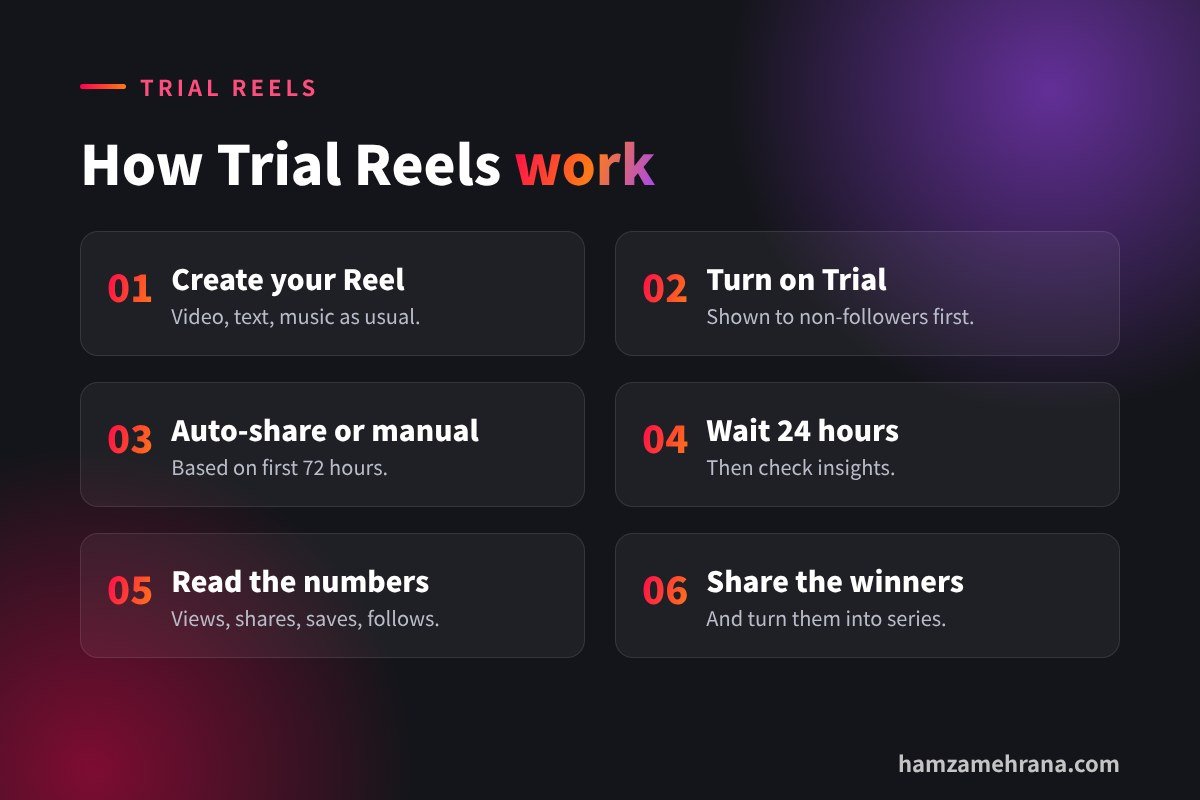
- Create your Reel as usual: record or upload your video, add text, music and effects.
- Go to the sharing screen and turn on the Trial option.
- Choose auto-share or manual: decide if Instagram should share the Reel with your followers automatically when it performs well, or if you’ll decide yourself.
- Write your caption with clear keywords, because Instagram uses captions to understand your content.
- Share the trial and wait at least 24 hours before checking results.
- Review the insights and share the winners with everyone.
Note: Instagram rolls out features gradually, so if you don’t see the Trial option yet, update the app and check that you’re using a professional (creator or business) account.
A simple Trial Reels testing system
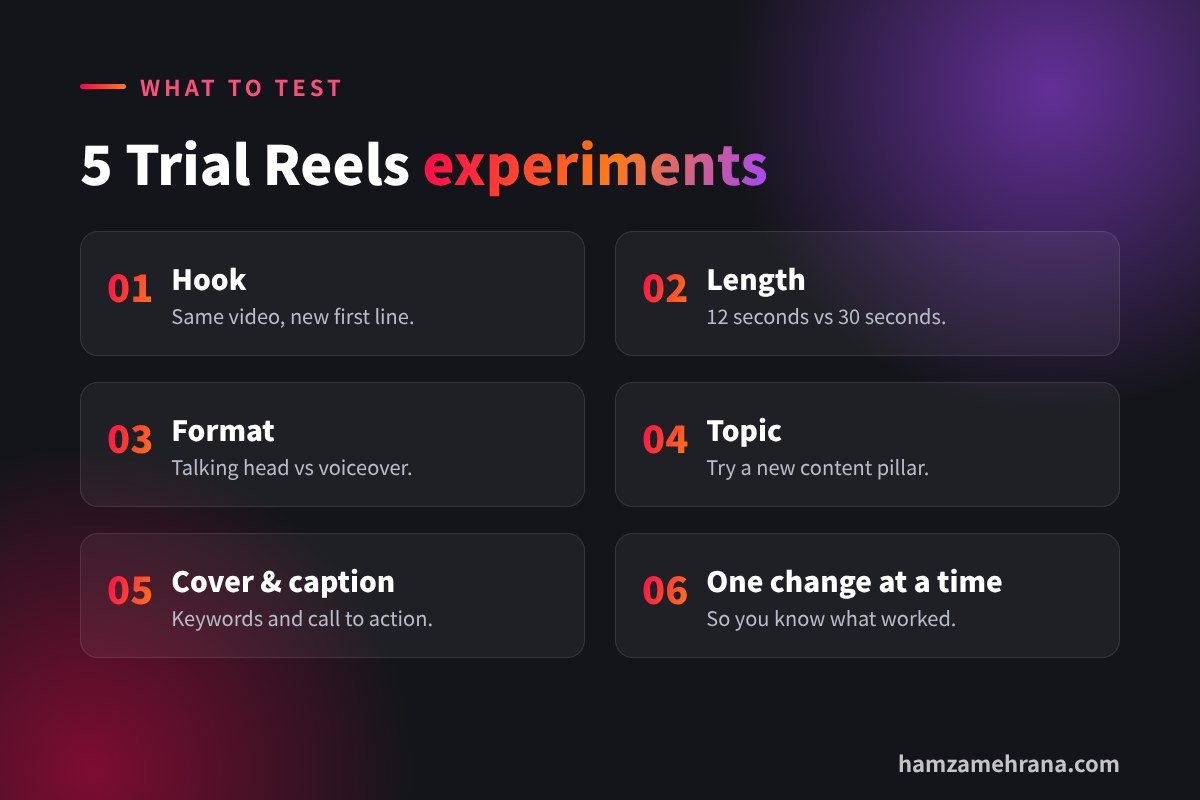
Test one thing at a time
If you change the hook, length and music at once, you won’t know what worked. Pick one variable per test:
- Hook: same video, different first line or on-screen text.
- Length: a 12-second version vs a 30-second version.
- Format: talking head vs voiceover with B-roll.
- Topic: a new content pillar you want to try.
- Cover and caption: different keywords or call to action.
Compare the right numbers
Look beyond views. Shares and saves show that people found the Reel valuable. Comments show it started a conversation. For business accounts, profile visits and follows matter most.
Turn winners into series
When a trial performs well, share it with everyone, then make part 2 and new versions with fresh hooks. Need hook ideas? Use our 7 viral hook formulas.
Trial Reels ideas for small businesses
- Restaurants and cafés: test a “behind the scenes” Reel vs a “dish of the day” close-up.
- Online shops: test a product demo vs an unboxing or customer-style review video.
- Service businesses: test a quick tip vs a before/after transformation.
- Coaches and consultants: test a contrarian opinion vs a step-by-step tutorial.
For product brands, AI UGC-style videos are a quick way to create several versions to test. Read our guide to AI UGC ads.
Common Trial Reels mistakes
- Judging too early: wait at least 24 hours before reading results.
- Testing low-effort videos: a trial still needs a strong hook and clear value.
- Never sharing winners: great trials should reach your followers too.
- No notes: keep a simple spreadsheet of what you tested and what happened.
Key takeaways
- Instagram Trial Reels are shown first to non-followers.
- They are a safe way to test hooks, formats and topics.
- Check results after about 24 hours and share winners with everyone.
- Test one variable at a time and track shares, saves and follows.
- Turn winning trials into series.
Frequently asked questions
Can my followers see Trial Reels?
Not directly during the trial. Trials are shown to non-followers, though a follower may see one if someone shares it with them.
How long does an Instagram Trial Reel run?
Insights appear after about 24 hours, and the auto-share option is based on performance in the first 72 hours.
Do Trial Reels hurt my reach?
No. They are designed for testing. Low-performing trials simply don’t go to your followers.
Why don’t I have the Trial Reels option?
Update the Instagram app and make sure you use a professional account. Features can roll out gradually.
Conclusion
Instagram Trial Reels give you a free testing lab for new content. Post trials regularly, test one thing at a time, share the winners and build series around what works. Your growth becomes a system, not a guess.
Want Reels made and tested for you? I can be your social media manager or create AI UGC video ads for your brand. See my portfolio.
Written by Hamza Mehrana — Social Media Manager & Content Creator. Need help growing your brand? Let’s talk.
2 replies on “Instagram Trial Reels: Test Content on Non-Followers”
LinkedIn Algorithm 2026: 9 Ways to Get More Reach - Hamza Mehrana 9 November 2026 at 23:10
[…] Instagram Trial Reels: Test Content on Non-Followers […]
Instagram Algorithm 2026: 9 Ways to Grow Your Reach 10 November 2026 at 07:48
[…] Instagram Trial Reels: Test Content on Non-Followers […]
Comments are closed.