
AI can write a month of social media content in an afternoon, but only if you ask the right way. Most people type “write an Instagram caption” and get bland, generic text. The secret is better instructions. These ChatGPT prompts for social media will help you plan, write and repurpose content that actually sounds like your brand.
In this guide you’ll learn a simple prompt formula, 15 copy-and-paste prompts for ideas, captions, hooks, scripts and analysis, and how to edit AI content so it performs. The prompts also work in other AI assistants such as Claude or Gemini.
The prompt formula that works every time
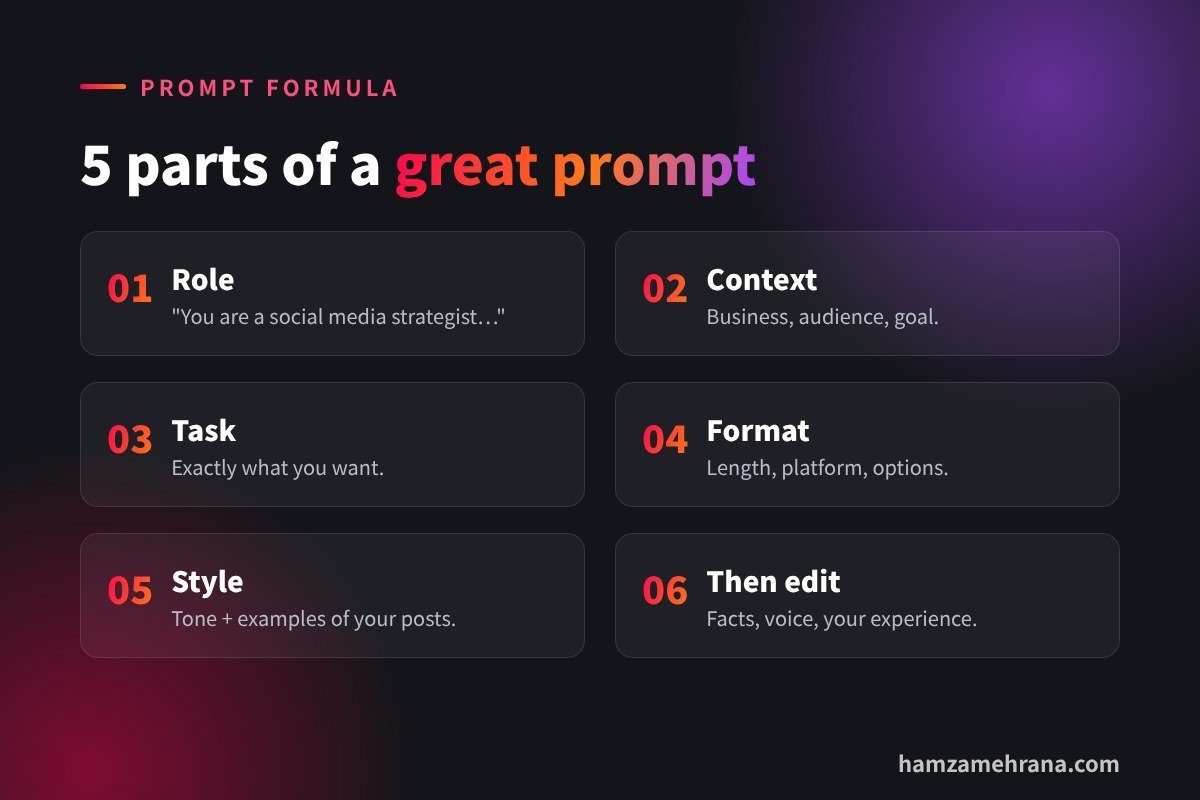
Good prompts give the AI the same information you’d give a human copywriter. OpenAI’s own prompt best practices recommend being specific about context, outcome, length, format and style. Use this simple structure:
- Role: “You are a social media strategist for…”
- Context: your business, audience and goal.
- Task: exactly what you want.
- Format: length, platform, number of options, emojis or not.
- Style: tone of voice plus an example of your past content.
15 ChatGPT prompts for social media
Replace the parts in [brackets] with your own details.
Content ideas and planning
1. Content pillars
“You are a social media strategist. My business is [business] and my audience is [audience]. Suggest 4 content pillars, explain why each one fits my audience, and give 5 post ideas per pillar.”
2. Monthly calendar
“Create a 30-day Instagram content calendar for [business]. Mix Reels, carousels and Stories. Include the format, topic, hook and goal for each day. Show it as a table.”
3. Questions customers ask
“List 20 questions that [audience] often ask before buying [product/service]. Turn each one into a short-form video idea.”
Captions and copy
4. Caption in your voice
“Here are 3 captions I wrote: [paste]. Study the tone, sentence length and emoji use. Then write 3 new captions in the same style about [topic], each under 120 words, with a clear call to action.”
5. LinkedIn post
“Turn this experience into a LinkedIn post: [story]. Start with a one-line hook, use short paragraphs, share one clear lesson and end with a question. No hashtags in the text.”
6. Keyword-rich captions
“Rewrite this caption so it naturally includes the keywords [keywords] for Instagram and TikTok search, without sounding forced: .”
Hooks and video scripts
7. Hook generator
“Write 10 hooks under 12 words for a video about [topic] for [audience]. Use these styles: result first, call-out, mistake, number list, curiosity gap.” (See our full guide to viral hooks.)
8. 30-second Reel script
“Write a 30-second Reel script about [topic]. Include: hook (first 2 seconds), 3 quick points, on-screen text for each part, and a call to action. Keep the language simple and spoken.”
9. UGC-style ad script
“Write 3 UGC-style ad scripts (20–30 seconds) for [product]. Each should start with a different hook, show one problem, the product as the solution and a soft call to action.”
10. YouTube video outline
“Create an outline for an 8-minute YouTube video titled [title]. Include a 15-second hook, chapters with timestamps and a strong ending that leads to another video.”
Repurposing
11. Blog to carousel
“Turn this article into a 7-slide Instagram carousel: [text]. Slide 1 is a bold hook, slides 2–6 have one idea each in under 25 words, slide 7 is a call to action.”
12. One video, five posts
“Here is the transcript of my video: [transcript]. Create a LinkedIn post, an X thread, 3 Instagram Story ideas and a short email from it.”
Community and analysis
13. Comment replies
“Write friendly, on-brand replies to these comments: [comments]. Keep each reply under 25 words and ask a follow-up question when it makes sense.”
14. Analyse your results
“Here are my last 10 posts with reach, saves, shares and comments: [data]. What patterns do you see? Suggest 3 tests for next month.”
15. Competitor gap
“Here are topics my competitors post about: [list]. What questions or angles are they missing that my audience would care about?”

How to edit AI content so it performs
- Add real experience: stories, numbers and opinions only you have.
- Check every fact: AI can be confidently wrong. Never post statistics you haven’t verified.
- Cut filler words: make sentences shorter and more direct.
- Read it out loud: if it doesn’t sound like you, rewrite it.
- Protect privacy: don’t paste customer data or confidential information into AI tools.
Want more tools to speed up your workflow? See our list of AI tools for social media managers.
Key takeaways
- Use the formula: role, context, task, format and style.
- Give the AI examples of your own content to copy your voice.
- Use prompts for planning, captions, hooks, scripts, repurposing and analysis.
- Always edit, fact-check and add your own experience.
Frequently asked questions
Can ChatGPT write good social media posts?
Yes, when you give it clear context and examples. The best results come from using AI for a first draft and then editing it yourself.
Will AI-written posts hurt my reach?
Platforms reward content people enjoy, not who wrote it. Generic, low-value posts perform poorly whether a human or AI wrote them.
What is the best prompt for Instagram captions?
Paste 2–3 of your best captions, ask the AI to study the style, then request new captions on a specific topic with a word limit and call to action.
Should I disclose AI use on social media?
For text, it’s usually not required. For realistic AI images or video, follow each platform’s labelling rules.
Conclusion
The right ChatGPT prompts for social media turn AI from a generic writer into a helpful assistant. Use the formula, save the prompts you like and always add your human touch before posting.
Prefer to have it done for you? I can manage your channels as your social media manager. Check my services and portfolio.
Written by Hamza Mehrana — Social Media Manager & Content Creator. Need help growing your brand? Let’s talk.
2 replies on “15 ChatGPT Prompts for Social Media Content”
YouTube Shorts Monetization 2026: Requirements & Pay - Hamza Mehrana 9 November 2026 at 23:10
[…] 15 ChatGPT Prompts for Social Media Content […]
YouTube Thumbnail Testing: How Test & Compare Works 10 November 2026 at 07:48
[…] 15 ChatGPT Prompts for Social Media Content […]
Comments are closed.