
Great videos can still get zero views if nobody can find them. YouTube SEO is how you help YouTube understand your video and show it to the right people in search and suggestions. The good news: it takes a few minutes per video once you know the steps.
In this guide you’ll learn how to find keywords, write titles and descriptions that rank, use tags and chapters, and the YouTube SEO checklist I use before publishing every video.
What is YouTube SEO?
YouTube SEO means optimising your title, description, thumbnail and video content so YouTube can match your video to what people search for. It also means keeping viewers watching, because YouTube wants to recommend videos people are happy they clicked.
In other words: metadata gets you discovered, and watch time keeps you recommended.
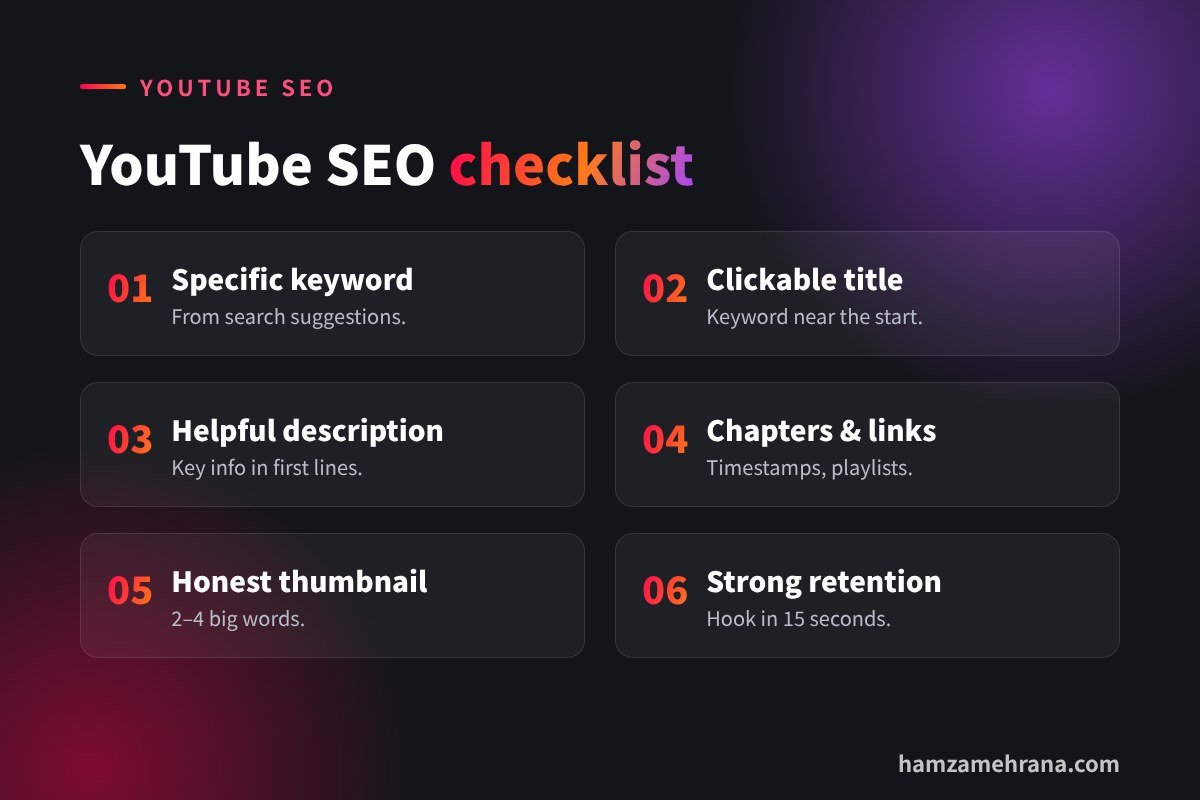
YouTube SEO in 6 steps
Step 1: Find the right keyword
Start typing your topic into the YouTube search bar and look at the suggestions. These are real searches. Pick a specific phrase, such as “how to edit reels on phone” instead of just “editing”. YouTube’s own tips for video descriptions also recommend checking the Research tab in YouTube Analytics and the “how viewers find your” search terms report.
Step 2: Write a title for humans first
Your title must make people want to click, and it should include your main keyword naturally, ideally near the start. Keep it clear and under about 60 characters so it isn’t cut off. Good formula: keyword + benefit or curiosity, for example “YouTube SEO: How I Got My First 1,000 Views”.
Step 3: Write a helpful description
YouTube recommends identifying one or two main words that describe your video and using them in both the title and description. Put the most important information in the first lines, because viewers see those before clicking “more”. Then add:
- a short summary of what viewers will learn,
- chapters with timestamps,
- links to related videos or playlists,
- your website or contact link.
Step 4: Use tags the smart way
Tags play a small role today. Add a few: your main keyword, common misspellings and one or two related phrases. Don’t stuff dozens of tags; it won’t help.
Step 5: Design a thumbnail that earns the click
Your thumbnail and title work as a team. Use one clear idea, big readable text (2–4 words), strong contrast and an honest promise. You can test options with YouTube’s built-in tool; read our guide to YouTube thumbnail testing.
Step 6: Keep people watching
Start with a strong hook in the first 15 seconds, deliver value quickly and cut slow parts. End by pointing to another video so viewers stay on your channel. Good retention tells YouTube your video satisfies viewers.
YouTube SEO for Shorts
Shorts are discovered mainly through the Shorts feed, but titles and descriptions still help YouTube understand the topic. Use a clear keyword in the title, mention the topic in the first spoken sentence and link your Shorts to a related long video. Learn more in our YouTube Shorts monetization guide.
Common YouTube SEO mistakes
- Vague titles: “My new video” tells YouTube nothing.
- Empty descriptions: you miss keywords, chapters and links.
- Clickbait: if the video doesn’t deliver, viewers leave and recommendations drop.
- Copy-paste descriptions: write a unique description for each video.
- Ignoring analytics: check which search terms already bring views and create more videos around them.
Key takeaways
- YouTube SEO = clear metadata + strong watch time.
- Find keywords with YouTube search suggestions and Analytics.
- Use your main keyword in the title and the first lines of the description.
- Add chapters and links; keep tags short and relevant.
- Hook fast and keep viewers watching.
Frequently asked questions
Do tags still matter for YouTube SEO?
Only a little. Titles, descriptions, thumbnails and watch time matter much more. Use a few relevant tags and move on.
How long should a YouTube description be?
YouTube allows up to 5,000 characters. A useful description is usually 150–300 words with a summary, chapters and links.
How long does YouTube SEO take to work?
Some videos get search views within days; others grow slowly over months. Evergreen “how to” topics often keep bringing views for a long time.
Should I change titles on old videos?
Yes, if a video gets impressions but few clicks, a clearer title or better thumbnail can help.
Conclusion
YouTube SEO isn’t magic. Choose a specific keyword, write a clickable title, add a helpful description with chapters, design an honest thumbnail and keep viewers watching. Do this on every upload and your channel will steadily gain search traffic.
Want help with titles, descriptions, thumbnails or a full YouTube workflow? Check my YouTube growth services, browse my portfolio or contact me on Fiverr. Running a channel without showing your face? Read our faceless YouTube channel guide.
Written by Hamza Mehrana — Social Media Manager & Content Creator. Need help growing your brand? Let’s talk.
3 replies on “YouTube SEO: How to Write Titles, Descriptions and Tags That Rank”
YouTube Shorts Monetization 2026: Requirements & Pay - Hamza Mehrana 2 November 2026 at 13:02
[…] viewers to a longer video. This builds watch hours and gives you a second path to YPP. Our guide on YouTube SEO titles, descriptions and tags will help those long videos rank […]
Faceless YouTube Channel 2026: Rules That Keep You Monetized - Hamza Mehrana 4 November 2026 at 21:14
[…] keyword-rich titles, clear descriptions with chapters and click-worthy thumbnails. Our guide to YouTube SEO titles, descriptions and tags explains this step by […]
YouTube Test & Compare: Thumbnail & Title Testing - Hamza Mehrana 9 November 2026 at 21:17
[…] For keyword ideas, see our guide to YouTube SEO titles, descriptions and tags. […]
Comments are closed.